Academic Edition  ·  iOS Beta Open Now

Your academic
game plan
starts here.

Track homework, set your daily Power 3, and level up your academics. Built for students — and the parents keeping them accountable.

Free forever No account required 11 XP levels iOS app

See it in action

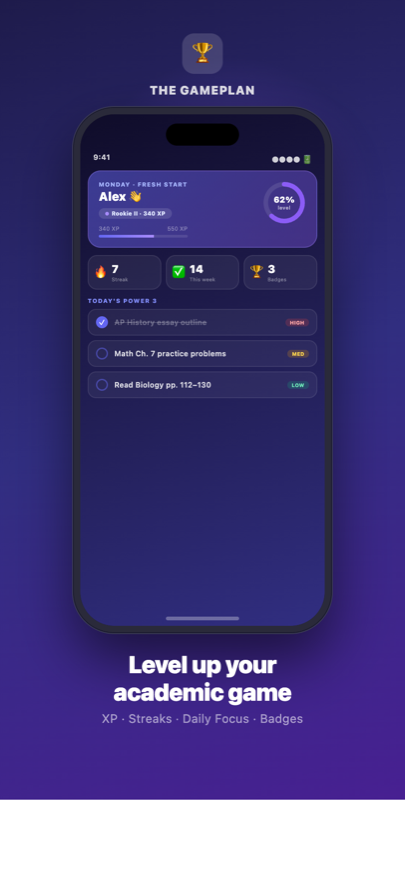
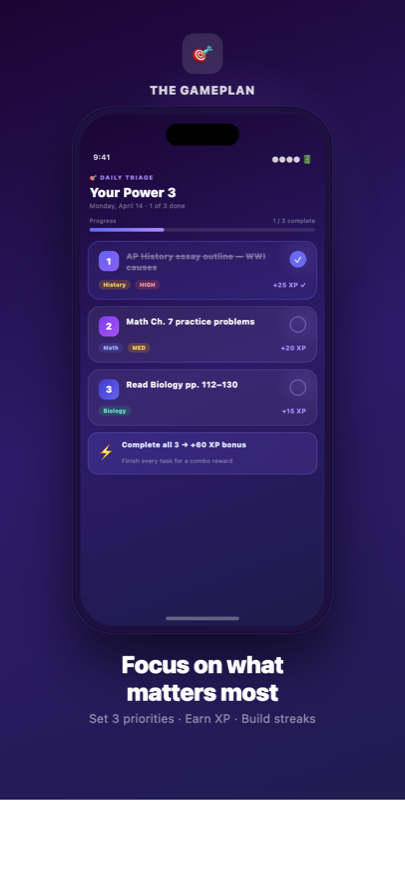
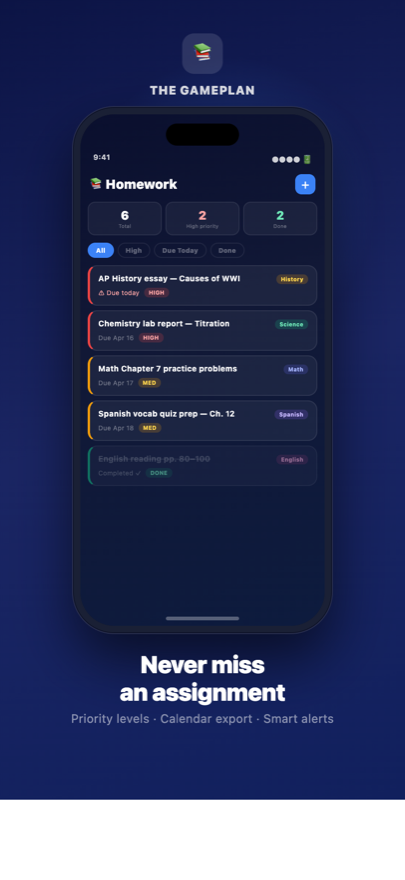
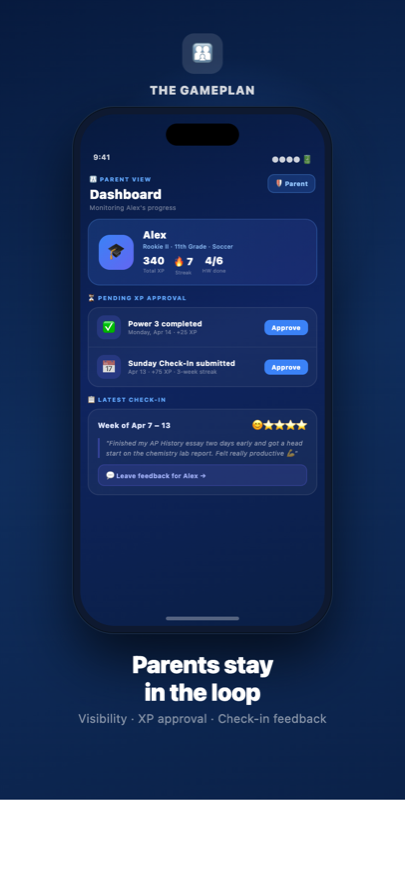
Dashboard — XP ring, streaks, Power 3 overview Power 3 — daily focus triage Homework tracker with priority levels Parent dashboard — real-time visibility
Free forever
No account required
All data stays on device
11 XP levels
iOS — Android coming

Why Gameplan

Everything you need to stay on track

One app for the whole team — students focus, parents stay informed. No logins, no subscriptions, no noise.

XP Leveling System

Earn XP for tasks, check-ins, and homework. Progress from Rookie all the way to GOAT across 11 tiers.

Power 3 Focus

Set 3 priority tasks each day. Stay focused on what actually moves the needle — not just what's urgent.

Homework Tracker

Track assignments by subject with High, Medium, and Low priority levels. Export deadlines to any calendar.

Smart Reminders

Scheduled push notifications for overdue tasks, uncompleted Power 3s, and weekly Sunday check-ins.

Grade Tracker

Log grades by subject and watch your GPA move in real time. Spot where to push before it's too late.

Streaks & Badges

Keep your streak alive daily and unlock badges for milestones. Consistency earns the biggest rewards.

Getting Started

Up and running in 3 minutes

No account needed. Download, set your profile, and start earning XP the same day.

1

Set your profile

Pick your grade, sport, and classes. The app personalizes your daily Power 3 prompts around your schedule.

2

Track daily

Add homework, set your Power 3 each morning, and check off tasks as you go. Every action earns XP.

3

Check in weekly

Every Sunday, reflect on your week, earn bonus XP, and let your parent or coach leave feedback.

For Students

Level up your academic game

Gameplan turns the grind into a game. Set goals, track homework, earn XP, and check in every Sunday to reflect on your week and plan the next one.

  • XP & Leveling 11 tiers from Rookie to GOAT. Every task completed, every check-in submitted earns XP.
  • Power 3 Daily Focus Pick your top 3 priorities each morning and crush them before anything else.
  • Sunday Check-In Weekly reflection to review your wins, set intentions, and earn bonus XP.
  • Streaks & Badges Keep your streak alive and collect badges for milestones. Don't break the chain.

Student FAQ

How do I earn XP?
Complete your Power 3 tasks, finish homework assignments, and submit your Sunday Check-In. Each action awards XP that counts toward your current level. Your parent or coach can approve certain XP events to confirm them.
What is the Power 3?
Your top 3 focus tasks for the day. Tap the triage icon on your dashboard each morning to set them. Completing all 3 earns an XP bonus and counts toward your daily streak.
When should I do the Sunday Check-In?
Every Sunday. The check-in unlocks Sunday morning and closes Sunday night. It takes about 5 minutes — you'll reflect on your week and set your intentions for the next one.
Can I sync homework to my calendar?
Yes — tap any homework item and use the export option to download a .ics file. Open it to add the deadline to Apple Calendar, Google Calendar, or Outlook.
How do streaks work?
Your streak increases each day you complete at least one Power 3 task. Missing a day resets it. Check your streak counter on the main dashboard — don't break it!
How do I set up push notifications?
Go to Settings → Notifications and tap "Enable Notifications." You can customize reminders for overdue homework, Power 3 completion, and Sunday check-ins.

Parent & Coach FAQ

How do I access the parent dashboard?
From the navigation bar at the bottom of the app, tap the "Parent" tab. You'll see your student's homework status, Power 3 completion, Sunday Check-In reflections, and full XP history.
How do I approve XP?
Pending XP events appear in your parent dashboard with an Approve button. Tap it to confirm earned XP for your student. You can also approve all pending events at once with "Approve All."
Can I leave feedback on check-ins?
Yes — tap any Sunday Check-In in your feed to read the full reflection. At the bottom you'll see a comment field. Your student will see your message the next time they open the app.
Is the app private? Where is data stored?
All data is stored locally on the device. Nothing is sent to external servers or third parties. The parent view and student view share the same device — this is a co-use app, not a cloud sync service.
Can multiple parents or coaches use it?
Currently the app is single-device. The parent dashboard is designed to be used on the student's device, or the student can share their screen. Cloud sync and multi-device support is on the roadmap.
How do I reset the app for a new semester?
Go to Settings → scroll to the bottom → tap "Reset All Data." This clears homework, XP history, streaks, and check-ins but keeps the student profile. Use at the start of a new term.

For Parents & Coaches

Stay in the loop without hovering

See what your student is working on, read their weekly reflections, and approve earned XP — all without constant check-ins or nagging conversations.

  • Real-Time Visibility Homework status, Power 3 completion, and XP history at a glance — no separate logins needed.
  • XP Approval You decide which earned XP gets confirmed. Tie it to your own incentive system or use it as a conversation starter.
  • Check-In Feedback Read Sunday reflections and leave comments your student sees directly in the app.
  • Progress Tracking Activity heatmap and weekly stats show effort over time. Focus on consistency, not just grades.

Your academic game plan starts here.

Free. No account required. All data stays on your device. iOS beta open now — Android coming soon.

Join the iOS Beta Join Android waitlist